
Lesson
Check the copy.
TClever TechnologyDetect a change with a simple checksum and explain one limitation.
Checksums · Check copied data.
Question
How can we notice that a copied message changed?
 How can we notice that a copied message changed?
Answer
A checksum is a value calculated from data. Recalculate it after copying and compare the values to help detect changes.
 A checksum is a value calculated from data. Recalculate it after copying and compare the values to help detect changes.
History
As records moved from paper to digital storage, archives needed ways to check that files stayed unchanged. Today archivists use recorded checksums to check copies over time.
 As records moved from paper to digital storage, archives needed ways to check that files stayed unchanged. Today archivists use recorded checksums to check copies over time.
Example
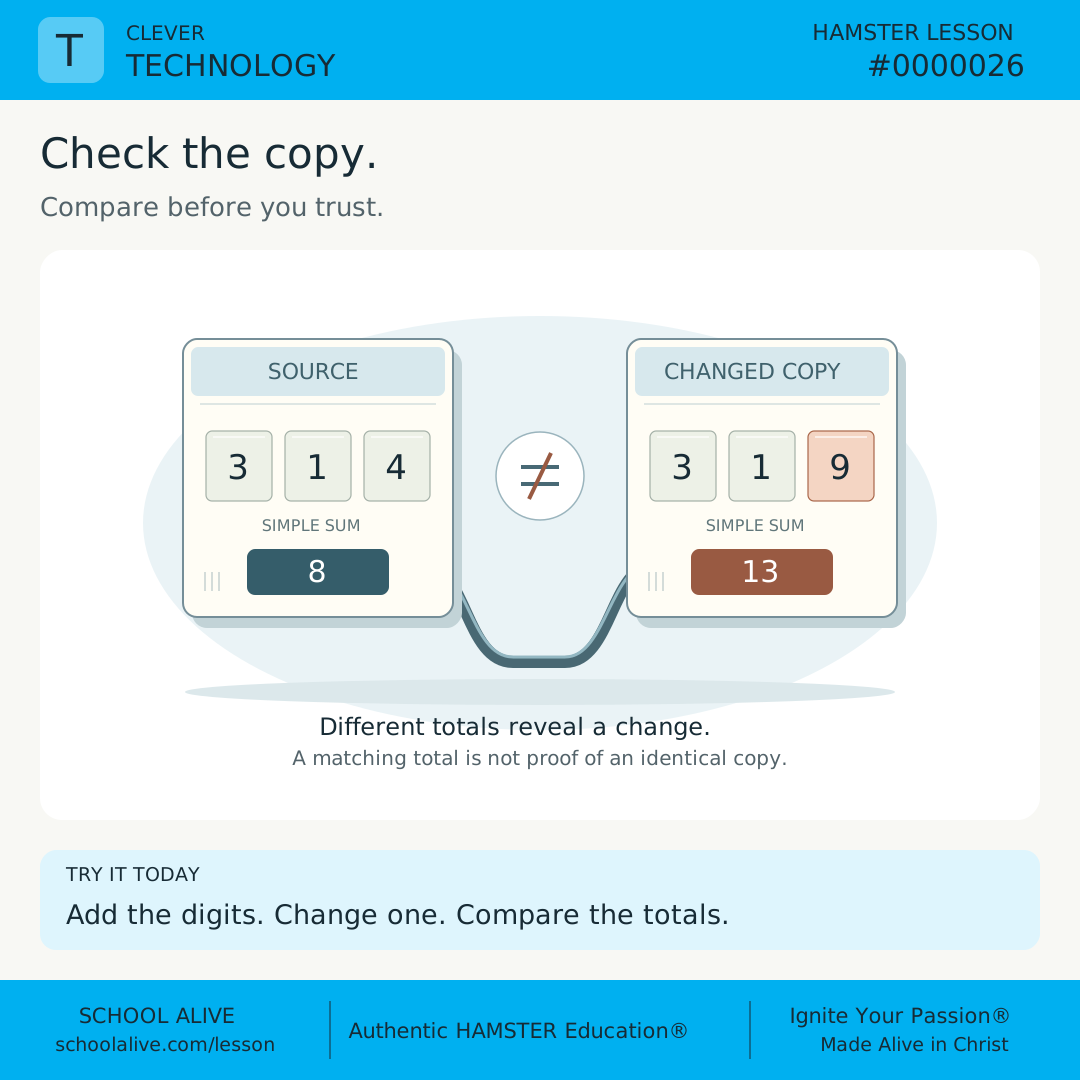
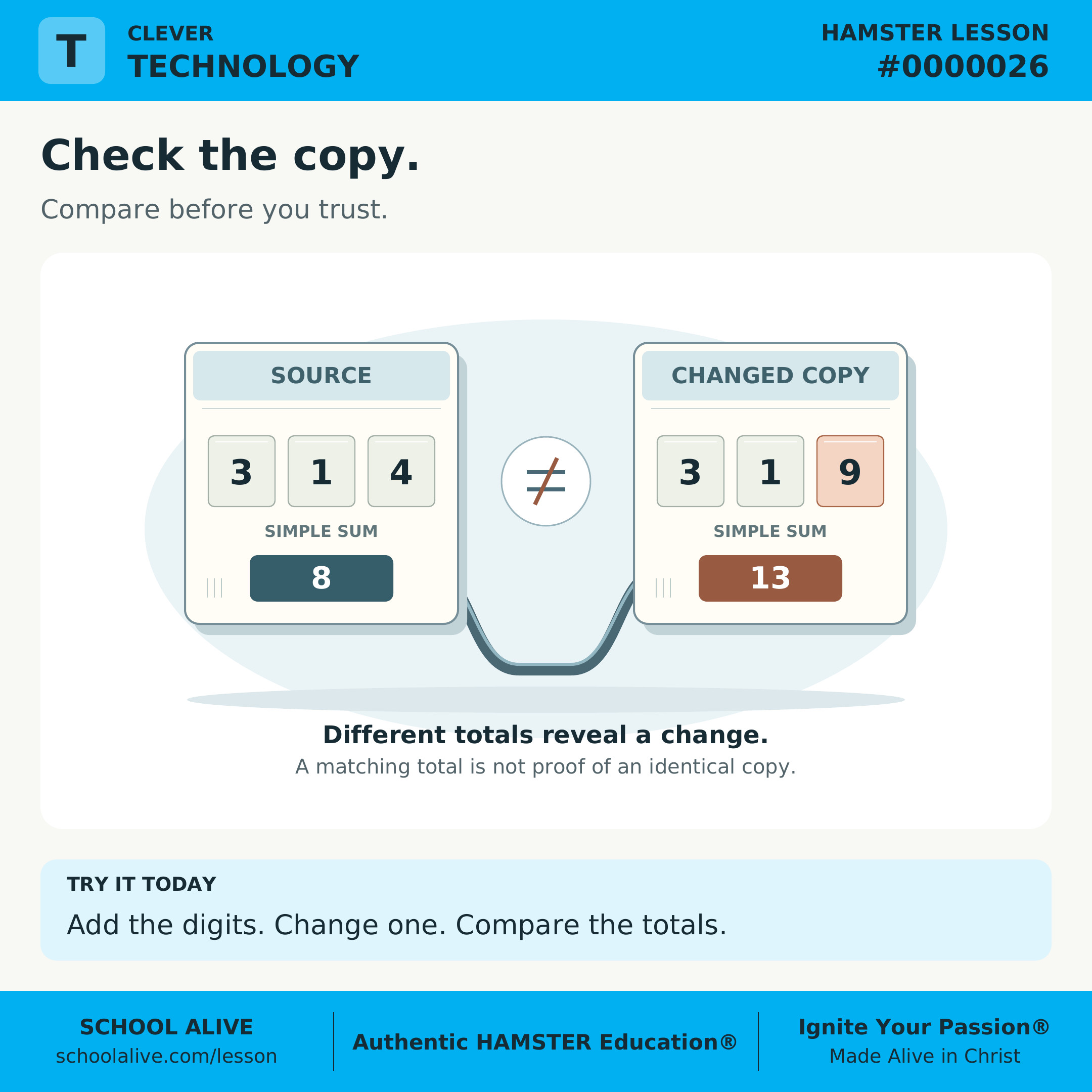
Add the digits in 314: 3 + 1 + 4 = 8. A changed copy, 319, gives 3 + 1 + 9 = 13. The mismatch tells us to check the message.
 Add the digits in 314: 3 + 1 + 4 = 8. A changed copy, 319, gives 3 + 1 + 9 = 13. The mismatch tells us to check the message.
Insight
Matching totals do not prove that messages are identical: 314 and 413 both total 8. Different inputs can share a checksum. Our simple sum is a teaching model, not a security tool.
 Matching totals do not prove that messages are identical: 314 and 413 both total 8. Different inputs can share a checksum. Our simple sum is a teaching model, not a security tool.
Connection
Technology combines tools and procedures. Checking a file after transfer helps preserve reliable records; a trustworthy comparison also needs a trustworthy original value.
 Technology combines tools and procedures. Checking a file after transfer helps preserve reliable records; a trustworthy comparison also needs a trustworthy original value.
Challenge
Write three digits, total them, and copy them. Change one digit in the copy and compare totals. Then swap two digits: why does our simple check miss this change?
 Write three digits, total them, and copy them. Change one digit in the copy and compare totals. Then swap two digits: why does our simple check miss this change?
Dive deeper
Context
A stored file may change through copying errors, damage, or editing. A recorded comparison helps reveal changes without inspecting every character by hand.
Understand the idea
Our model adds digits. Calculate the original total and retain that value separately. After copying, apply exactly the same rule. The total for 314 is 8, while 319 totals 13. If the values disagree, the data or the comparison value needs investigation.
Swapping the 3 and the 4 produces 413, which also totals 8. Two changes can cancel each other out. This is a collision: different inputs produce the same result. Real systems use more elaborate calculations that detect many more differences.
A checksum alone does not establish who created a file or whether its claims are true. Someone could replace both a file and its comparison value. Security systems need trusted sources and suitable methods; this activity illustrates error detection only.
Find the change
- Write 314 and calculate the total. Use counters to help add if needed.
- Copy it and change the last digit to 9. Compare 8 with 13.
- Write 413. Confirm that it also totals 8 despite the changed order.
- Explain what the method caught and missed. Compare the actual digits to find the change the total missed.
Discuss together
- Why should the original comparison value come from a trusted source?
- How are unchanged data different from truthful information?
Introducing Microlessons
One idea. Seven steps. A practical discovery.
Begin with a question and a clear answer. Explore the history, an example, and a deeper insight. Connect the idea to everyday life, then put it into practice.
Read on your own or talk it through together. Each prepared edition includes a shareable image, concise text, and a one-page PDF.
How the 7 steps work
Each lesson moves from curiosity to understanding to practical action. Here is what each step contributes.
Question
Opens a question worth exploring and gives the lesson a clear purpose.
Answer
Gives a clear starting point that the rest of the lesson helps us understand.
History
Shows how people encountered the idea and how their discoveries shaped what we know.
Example
Makes the idea concrete through a situation, demonstration, or worked example.
Insight
Draws out the deeper principle so we understand why the idea matters.
Connection
Connects the idea to other disciplines, our faith, and everyday life.
Challenge
Turns understanding into action through something to try, practice, or explain.