
Lesson
Test your backup.
TClever TechnologyRecover a practice file and verify that its contents match.
Digital resilience · A backup needs a working way back.
Question
If your device stopped working today, could you recover an important file?
 If your device stopped working today, could you recover an important file?
Answer
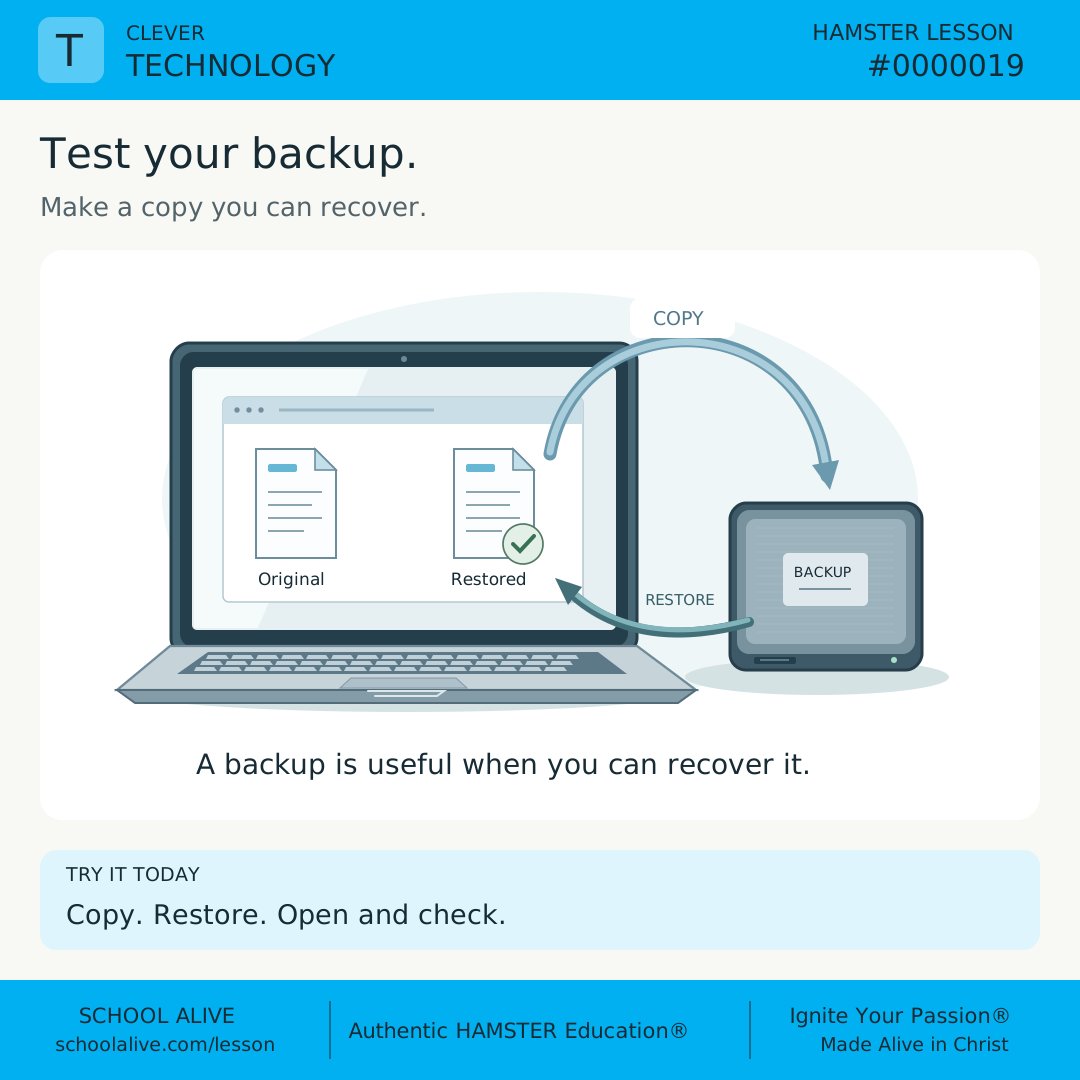
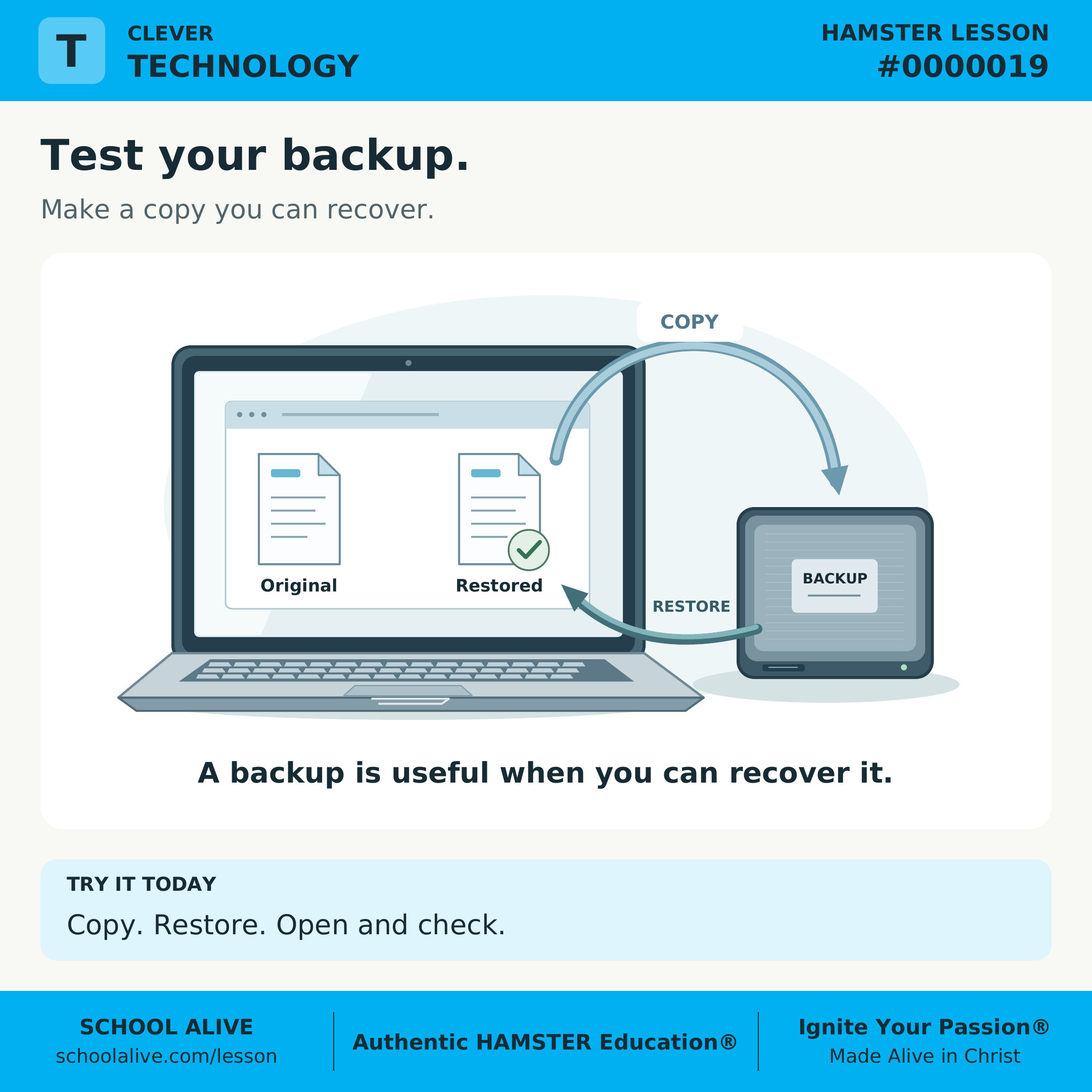
A backup is a separate copy kept for recovery. Making one matters; restoring a file and opening it checks whether that copy is actually usable.
 A backup is a separate copy kept for recovery. Making one matters; restoring a file and opening it checks whether that copy is actually usable.
History
In the 1950s, magnetic tape helped computers store and retrieve large amounts of information. Tape later became a familiar backup medium and is still used in modern data centers.
 In the 1950s, magnetic tape helped computers store and retrieve large amounts of information. Tape later became a familiar backup medium and is still used in modern data centers.
Example
Save a practice note with three lines. Copy it to separate storage, then copy it back under a new name. Open the restored note and compare all three lines with the original.
 Save a practice note with three lines. Copy it to separate storage, then copy it back under a new name. Open the restored note and compare all three lines with the original.
Insight
A second folder on the same drive does not protect against that drive failing. A filename alone is not proof of recovery: open the restored file and inspect its contents.
 A second folder on the same drive does not protect against that drive failing. A filename alone is not proof of recovery: open the restored file and inspect its contents.
Connection
Family photographs, project drafts, and business records all represent time and care. Planning how to recover them helps us meet responsibilities when a device fails or a mistake happens.
 Family photographs, project drafts, and business records all represent time and care. Planning how to recover them helps us meet responsibilities when a device fails or a mistake happens.
Challenge
Today, make a non-sensitive practice file. Back it up to a separate, approved storage location, then restore it under a new name and open it. Keep the original; compare the contents and record whether your test worked.
 Today, make a non-sensitive practice file. Back it up to a separate, approved storage location, then restore it under a new name and open it. Keep the original; compare the contents and record whether your test worked.
Dive deeper
Context
A saved file and a recoverable file are not quite the same thing. Saving keeps your current work; a backup plan gives you another place to turn if that work becomes unavailable. Practice with a harmless sample before you depend on the process.
Understand the idea
Choose the risk you are trying to address. If both copies are on one device, losing that device can remove both. Separate storage might be a trusted external drive or an approved online backup service. A copy should remain private and accessible to the people responsible for it.
Use a recovery test with a clear result. For our three-line practice note, success means finding the backup, restoring it under a different name, opening it, and checking every line. Do not delete the original to create a test. If the test fails, keep your working file and find out which step needs attention.
A successful sample test checks this file and this recovery path; it does not prove that every file or an entire computer can be restored. Check what your backup system includes, when it last ran, and how to recover the version you need. A backup made before your latest changes cannot contain those later changes.
Run a small recovery rehearsal
- Create a practice text file containing three invented lines, such as a short packing list. Include no passwords, personal records, or confidential information. Note its filename and where it is saved.
- Use storage you own or are permitted to use. Copy the file to a separate device or approved backup service using its documented method. For a managed school or work device, follow its existing backup process.
- Restore or copy the backup into a different folder under a new filename. Open both files and compare every line. Record the date, the recovery location, and whether the test passed. Keep the original intact.
- Identify one real category of files that matters to you. Check whether your existing backup covers it and who could help with recovery. Do not move private school or work records into a personal account.
Discuss together
- Why could two copies on one broken drive still leave you without the file?
- What does opening a restored file tell you that seeing its name in a backup list does not?
Introducing Microlessons
One idea. Seven steps. A practical discovery.
Begin with a question and a clear answer. Explore the history, an example, and a deeper insight. Connect the idea to everyday life, then put it into practice.
Read on your own or talk it through together. Each prepared edition includes a shareable image, concise text, and a one-page PDF.
How the 7 steps work
Each lesson moves from curiosity to understanding to practical action. Here is what each step contributes.
Question
Opens a question worth exploring and gives the lesson a clear purpose.
Answer
Gives a clear starting point that the rest of the lesson helps us understand.
History
Shows how people encountered the idea and how their discoveries shaped what we know.
Example
Makes the idea concrete through a situation, demonstration, or worked example.
Insight
Draws out the deeper principle so we understand why the idea matters.
Connection
Connects the idea to other disciplines, our faith, and everyday life.
Challenge
Turns understanding into action through something to try, practice, or explain.